Bank statement PDF to Excel.
Extract the transactions. Check the balances. Make corrections before you take the spreadsheet into your books. Free, with no sign-up or file upload.
| Date | Description | Amount |
|---|---|---|
| 2026-06-01 | PAYROLL | +250.00 |
| 2026-06-02 | GROCERY | −120.00 |
| 2026-06-03 | UTILITIES | −30.00 |
Your statement workspace
PDF → review → XLSX / CSV- Choose PDF
- Review transactions
- Export your data
Choose a PDF with selectable text from online banking. Parsing runs locally; incomplete balance evidence is marked for review. Check the extracted rows against your statement before exporting.
From the original rows to a record you can keep.
Open the sample, compare the spreadsheet and see how a recurring-charge review preserves the evidence and your notes.
Synthetic demonstration · no real bank or customer data
| Date | Original description | Amount |
|---|---|---|
| 2026-01-03 | STREAMBOX SYNTHETIC | −15.00 |
| 2026-01-15 | TOOLKIT SYNTHETIC | −8.00 |
| 2026-02-03 | STREAMBOX SYNTHETIC | −15.00 |
Opening 3,000.00 → closing 2,909.50. All 8 transactions are in the downloads.
Take the editable rows
To reproduce the rows, save the sample PDF, open the converter and choose that file. Check every row against the original before using your own export.
Open the converter →Keep the review and the original evidence
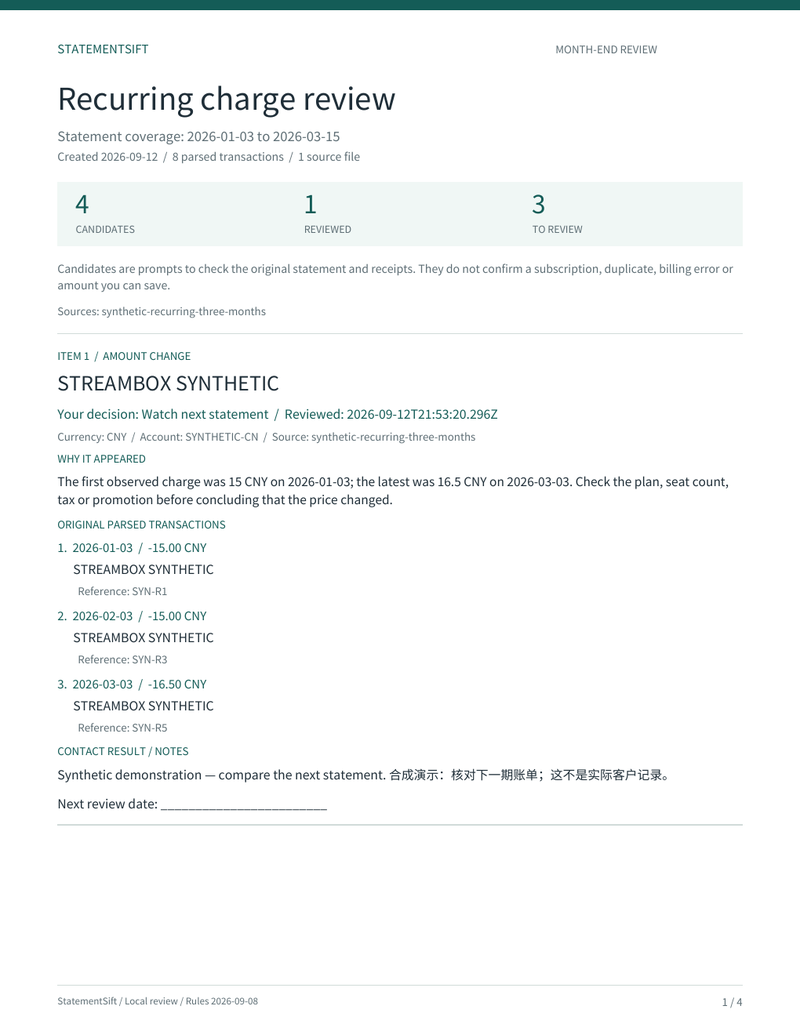 Open the complete review PDF →
The review uses CNY and account SYNTHETIC-CN, entered manually for this demonstration. Four candidates, one marked to watch, with an English/Chinese example note. The report explanations are in English; candidates do not prove an incorrect charge.
Produced by StatementSift on September 12, 2026. This example does not validate any bank’s statement format.
A conversion you can inspect.
Dates, descriptions, amounts and balances appear in an editable table. When balance information is available, the tool checks the relationships it can verify. Missing information stays visibly unverified. A matching balance does not prove every transaction is correct: compare the original before import.
Review recurring charges next →Start with the original PDF.
A PDF downloaded from online banking with selectable text is the best starting point. Scans can use local OCR, with every figure checked afterwards. Bank guides describe the source; they do not certify every layout. The browser may load software and fonts online, while statement contents are processed locally.
How local processing works →